Written by
florez
At
Fri Oct 17 2025
Release 0.11
Little intro to version 0.11 with new features and improvements.
Mainly the changes from merge request !44
Changes in 0.11
- Collection got a
sortmethod similar to thefiltermethod. - Added metadata to collections using the existing collection identifier file and a yaml format.
- Added aliases to collections to allow easier referencing of collections.
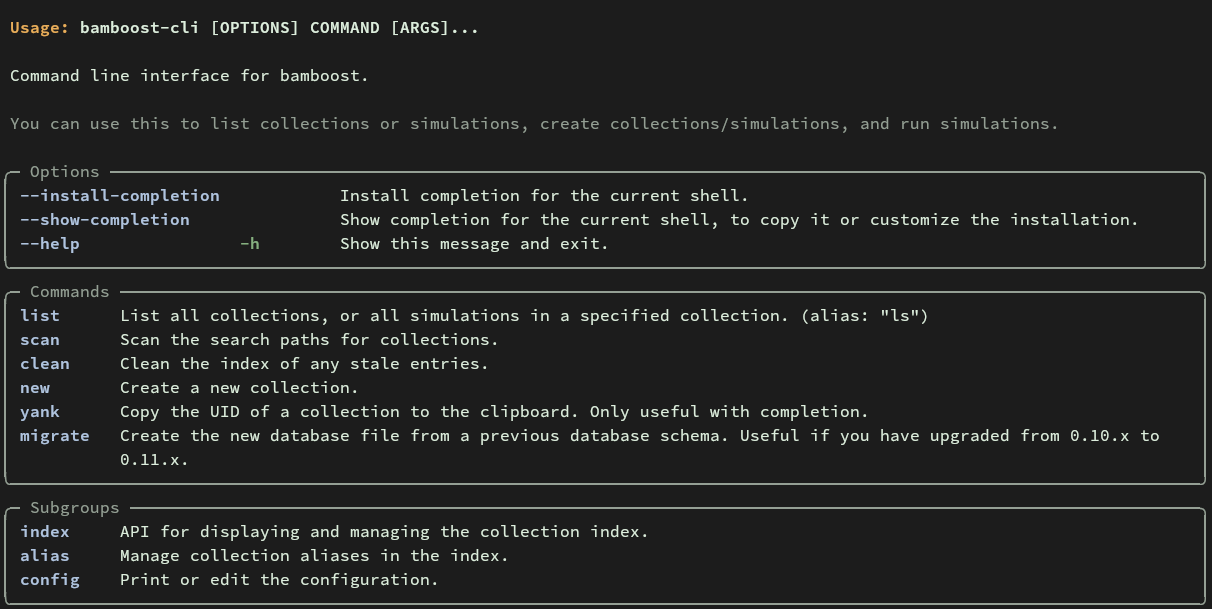
- Updated the command line interface (CLI)
The sqlite database schema has changed. The file will be rebuilt and is now
named bamboost.0.11.sqlite to avoid conflicts with previous versions.
To migrate the existing database (will copy all knowledge to the new file), you can use the CLI command:
bamboost-cli migrateCollection sorting and iteration
The following will filter the collection, then sort by one of the parameters, and iterating over a collection will yield the simulations in the sorted order.
from bamboost import Collection

coll = Collection(uid="<collection-uid>")

for sim in coll.filter(coll.k["temperature"] > 300).sort("pressure"):
    # then do something with each sim
    print(sim.uid)

# remember that you can also chain filter and sort
for sim in coll.filter(
    coll.k["temperature"] > 300, (coll.k["t"] < 3) | (coll.k["t"] > 7)
).sort("pressure"):
    pass
Metadata for collections
Collections can now have metadata associated with them. The following metadata fields are also stored in the sqlite database:
uidcreated_attags: a list of tags for thisaliases: a list of alternative names for this collectiondescription: a short description of the collectionauthor: the author (either string or a dict with name, email)
Any number of additional metadata fields can be used.
Using metadata
from bamboost import Collection

coll = Collection(uid="<collection-uid>")

coll.metadata  # returns a CollectionMetadataStore object (a mapping)
coll.metadata["tags"]  # access individual metadata fields

coll.metadata.to_dict()  # returns all metadata as a dictionary
coll.metadata.update({"new_field": "value"})  # update metadata

coll.save()  # save changes to disk
The changes are not automatically saved. You need to call save() on the collection to persist the changes.
Command Line Interface (CLI) updates
See the screenshot below for the updated CLI help message.
Call bamboost-cli without arguments to see the help message.